
Putting Google AI to work for your mission

AI-powered collaboration for nonprofits of all sizes
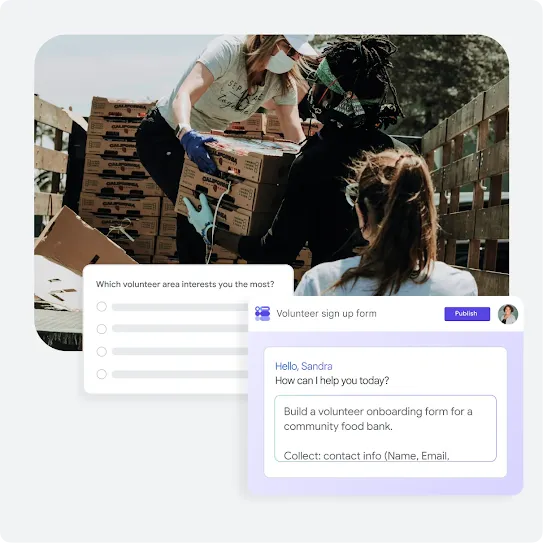
Save time with Google Workspace for Nonprofits
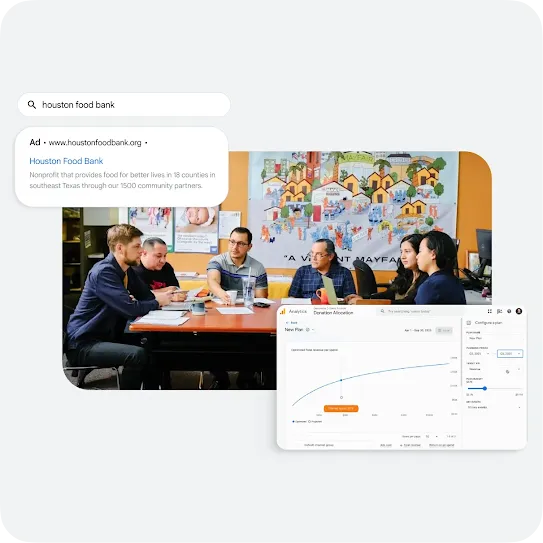
Tell your story with Google Ad Grants
Explore what’s possible with AI
Learn from AI trainings and resources
Daily Wins with AI for Nonprofits
Link to Youtube Video (visible only when JS is disabled)
Optimize Creativity and Fundraising with AI for Nonprofits
Link to Youtube Video (visible only when JS is disabled)
Build Smarter Workflows with AI for Nonprofits
Link to Youtube Video (visible only when JS is disabled)
See how nonprofits are using AI to tackle real-life challenges

FAQs
Google for Nonprofits offers eligible organizations access to no cost or discounted Google products that can help solve the challenges that nonprofits face: finding new donors and volunteers, working more efficiently and getting supporters to take action. Google for Nonprofits is currently available in 180+ geographies. Learn more about the eligibility requirements.
Google for Nonprofits provides access to these Google products at no charge:
- Google Workspace for Nonprofits and nonprofit-specific discounts for Google Workspace, including Business Standard, Business Plus and Enterprise editions
- Google Ad Grants
- YouTube Nonprofit Program
- Google Maps Platform credits
Read more about Google for Nonprofits in the Help Center.
To be eligible for a Google for Nonprofits account, an organization must:
- Be registered as a charitable organization in one of the countries or regions listed in ourharitable organization in one of the countries or regions listed in the eligibility guidelines. All organizations must also be verified as a nonprofit organization by Goodstack, Google for Nonprofits' validation partner. Learn more about getting verified by Goodstack.
- Agree to the Google for Nonprofits Additional Terms of Service.
- Your organization is not eligible for Google for Nonprofits if it is:
- A governmental entity or organization
- A hospital or healthcare organization (charitable arms or foundations associated with healthcare organizations are eligible).
- A school, academic institution or university (philanthropic arms of educational organizations are eligible). Learn more about Google for Education, Google's programs for educational institutions.
1. Review eligibility requirements
To be eligible for a Google for Nonprofits account, your organization must meet the following criteria:
- Be registered as a charitable organization in a country where Google for Nonprofits is available
- Meet the eligibility requirements in your country
Government entities or organizations, hospitals or healthcare organizations and schools, academic institutions or universities are not eligible.
Learn more:
2. Request a Google for Nonprofits account
Once you have confirmed your organization's eligibility, go to Google for Nonprofits and click Get started. If your organization already has an account, the system will take you through the steps to request access.
3. Wait for verification
Most requests will be reviewed in 2–14 working days. Our validation partner, Goodstack, works to verify organizations for Google for Nonprofits and may contact you for more information or documentation, so that they can verify your organization and that you're affiliated with it.
Learn more:
4. Activate Google for Nonprofits products
Once your organization has been verified, you can activate Google for Nonprofits products. Each product needs to be activated separately.
Learn more
- Activate Google Workspace for Nonprofits
- Activate Google Ad Grants
- Activate the YouTube Nonprofit Program
- Activate Google Maps Platform credits
5. Get the most out of your Google for Nonprofits account
Use the resources below to learn how to get the most out of your Google for Nonprofits account:
Google for Nonprofits sends out a newsletter with updates about nonprofit-specific opportunities, programs, and initiatives. You don't have to have a Google for Nonprofits account to receive the newsletter, anyone can sign up. To sign up for the newsletter, follow these steps:
1. Go to www.google.com/nonprofits/account/settings/edit
2. Check the box next to Newsletters and click Save
3. You will receive an email from Google with the subject: "Confirm you want to receive Newsletters from Google for Nonprofits." In this email, click Yes, I want to receive Newsletters.